
Quran Academy Session and Attendance Audit Template
Download a practical Quran academy attendance and session-audit template that separates learner status, teacher presence, class outcomes, lesson evidence and follow-up.
A practical operating system for managing enquiries, trials, enrolment, teacher assignment, schedules, attendance, lesson records, family communication and monthly review.
Updated

To manage an online Quran academy well, build one repeatable learner journey: enquiry, assessment or trial, enrolment, teacher assignment, scheduling, class delivery, lesson recording, family communication and monthly review. Give every stage a named owner, a current record and a clear next action. The software matters, but the operating rules come first.
This guide gives founders and directors a practical operating system they can begin with a controlled spreadsheet and improve with dedicated software. It does not assume that every academy has the same teaching method, fee structure or team size.
Start by writing down exactly what the academy promises. A one-to-one Hifdh programme, a group Tajweed class and an adult Arabic course do not share the same scheduling, reporting or communication needs. If the service is vague, the records will be vague too.
For each programme, record the learner group, lesson format, usual session length, delivery platform, teaching objective, progress-review method and person responsible for academic decisions. Then agree what counts as active, paused, withdrawn and completed. These definitions stop different administrators from interpreting the same learner differently.
The easiest way to find operational gaps is to follow one fictional learner from first contact to the end of a teaching month. At each hand-off, ask who owns the record, what must be known, what action comes next and how the next person can see that action.
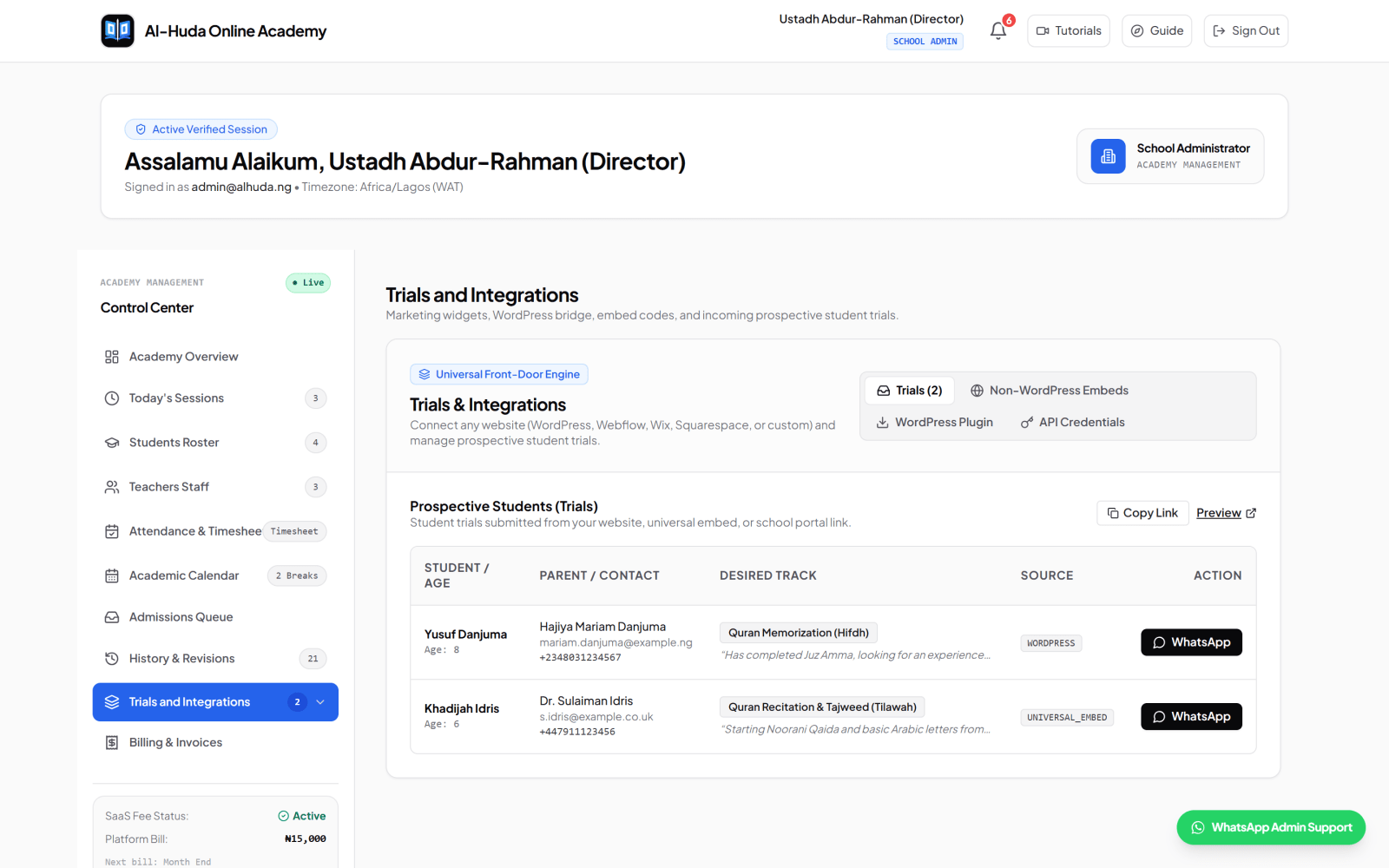
Use one enquiry record rather than leaving prospects across private WhatsApp chats, email inboxes and notebooks. Collect only what is useful for the next decision: contact details, learner type, broad study goal, timezone, preferred availability, programme interest and consent required by your own process. Give the enquiry an owner and a next follow-up date.
A fast response is useful, but accuracy matters more than an automatic message that promises an unavailable teacher or timetable. The admissions owner should first confirm that the request is within the academy's scope.
Decide what the trial is meant to establish. It may check recitation level, memorisation needs, comfort with online learning, suitable lesson length or timetable fit. Use a small standard form so the teacher records an observable starting point and recommendation instead of sending an unstructured voice note.
The person who conducts the trial should know who receives the result. The admissions owner then records one of a few clear outcomes: follow up, request more information, offer a place, place on a waiting list or close the enquiry.
Formal enrolment should create the authoritative learner record. Confirm the learner's name, guardian or adult-learner contact, programme, current level, goals, relevant learning needs, agreed policies and communication route. Do not repeatedly copy sensitive information between chat threads and spreadsheets.
Separate low-friction trial information from the fuller information genuinely required to teach and support the learner. This makes the first contact easier while keeping the final enrolment record useful.
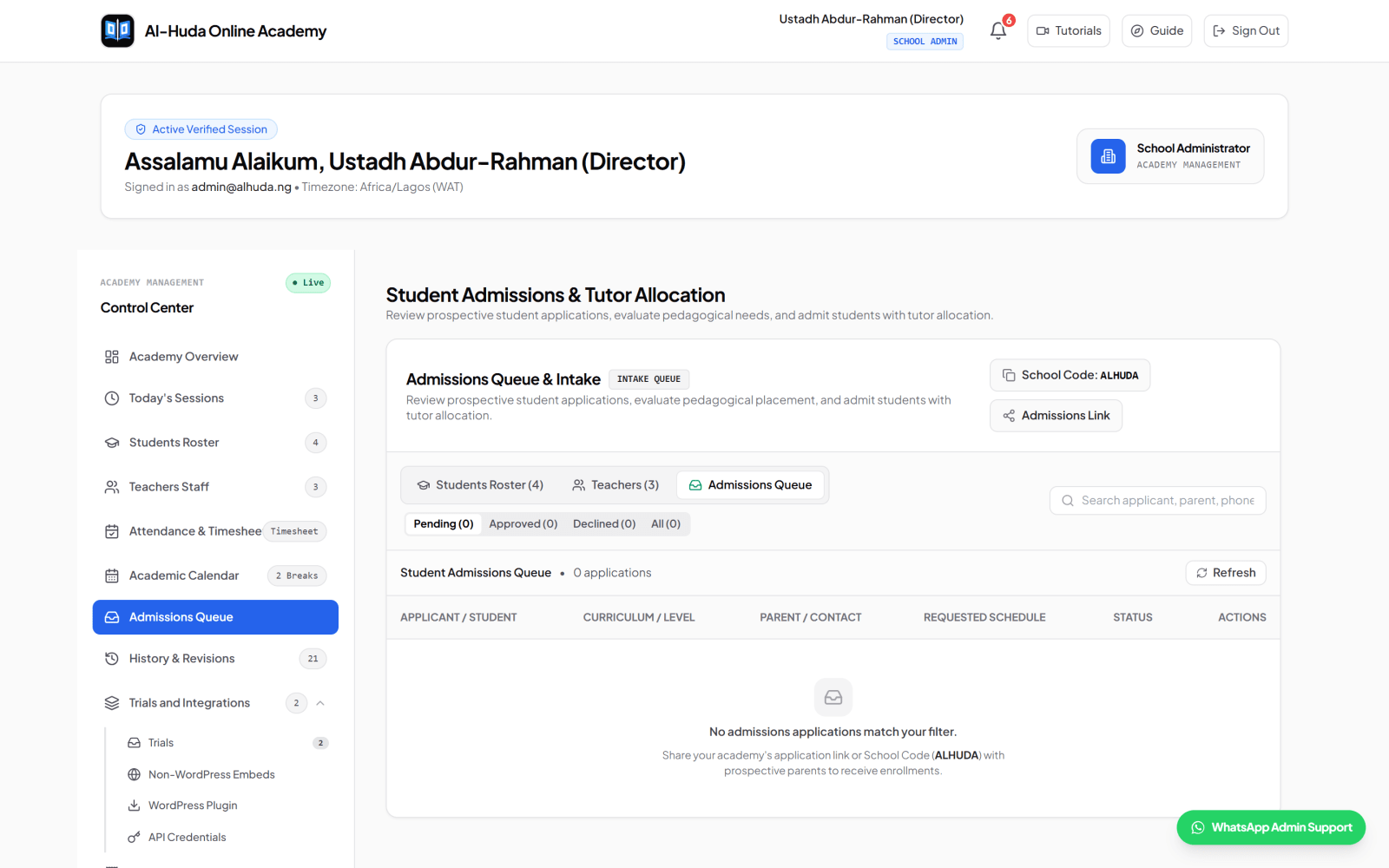
Match more than a free slot. Consider the programme, learner level, preferred teacher attributes where appropriate, language, teaching experience, availability, existing load and any safeguarding rules established by the academy. Record who approved the assignment and when it takes effect.
Maintain a visible unassigned list. A learner should never appear fully enrolled while quietly waiting in a private message for somebody to find a teacher.
Every active arrangement should state the days, start time, duration, timezone, effective date, assigned teacher, learner and meeting method. Send the same confirmed details to the people who need them. If the schedule changes, update the authoritative record first and then communicate the change.
After the scheduled time, record what actually happened. Keep learner attendance, teacher presence and whether teaching occurred as separate facts. A learner no-show while the teacher waited is operationally different from a teacher absence, a mutually cancelled class or a class disrupted before teaching began.
A teacher should leave a short, consistent record soon after the lesson. The record should help the next lesson begin correctly and give the authorised family member or adult learner useful context. It should not become a long essay that teachers cannot sustain.
At the end of each operating cycle, reconcile schedules with session records, review unresolved absences and adjustments, inspect learners without recent progress notes, check teacher capacity and follow up on open family concerns. The result is a short action list with owners and due dates, not merely a dashboard viewed once.
In a small academy, one person may hold several roles. That is acceptable as long as the responsibility is explicit. As the academy grows, the same map becomes a simple responsibility matrix.
| Stage | Primary owner | Required output | Next hand-off |
| Enquiry | Admissions administrator | Complete contact and next action | Trial or assessment |
| Trial | Assigned assessor | Level note and recommendation | Admissions decision |
| Enrolment | Academy director or delegate | Approved learner record | Teacher assignment |
| Scheduling | Timetable owner | Confirmed recurring slot and timezone | Teacher and family |
| Lesson | Teacher | Session status and progress note | Academic record |
| Exception | Operations administrator | Resolved absence, cancellation or change | Affected parties |
| Monthly review | Director | Exceptions and assigned actions | Next operating cycle |
Create escalation rules as well. For example, an administrator may change an ordinary timetable, while a safeguarding concern, disputed attendance adjustment or repeated missing progress record goes to the director. Clear escalation prevents routine issues from overwhelming the owner and serious issues from being handled casually.
Online academies often serve families and teachers in different locations. Store the timezone with the schedule, not only the displayed clock time. Confirm it in writing, especially around seasonal clock changes. A label such as '5:00 PM London time' is safer than '5:00 PM' with an assumed offset.
Use an authoritative timezone identifier when your tools support it, keep one academy reporting timezone, and still show each participant the time they must attend. Test a new or changed schedule with both parties before treating it as settled.
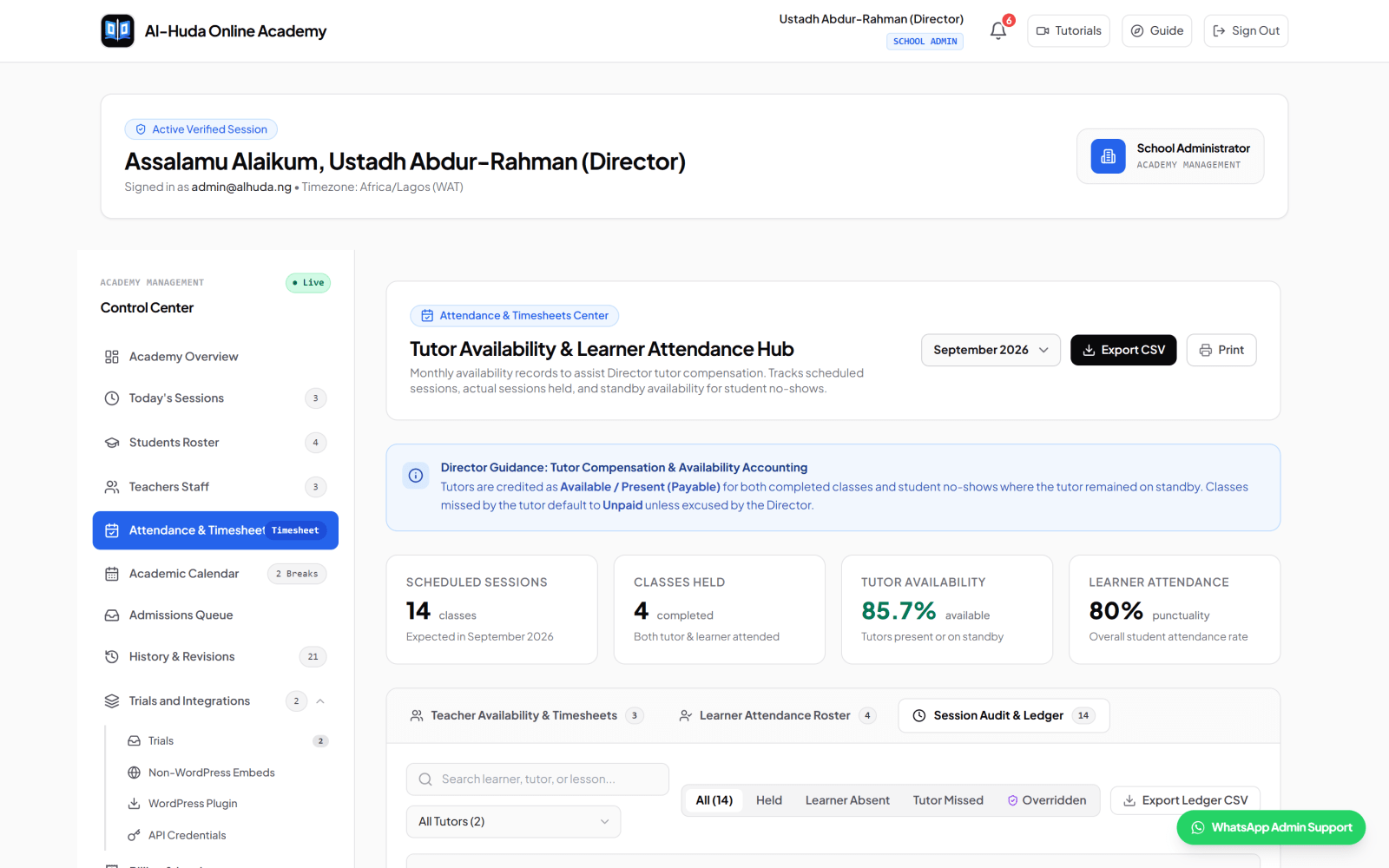
An attendance percentage is only meaningful when the underlying statuses have consistent definitions. Start with the facts of the session, then apply the academy's policy. Avoid one vague 'absent' status that hides who attended, whether the class occurred and why it did not.
Keep the original event and the authorised adjustment visible where possible. This makes monthly reconciliation easier and reduces disputes based on overwritten messages. If session counts feed an external teacher-compensation process, state the compensation policy separately; attendance software should not invent it.
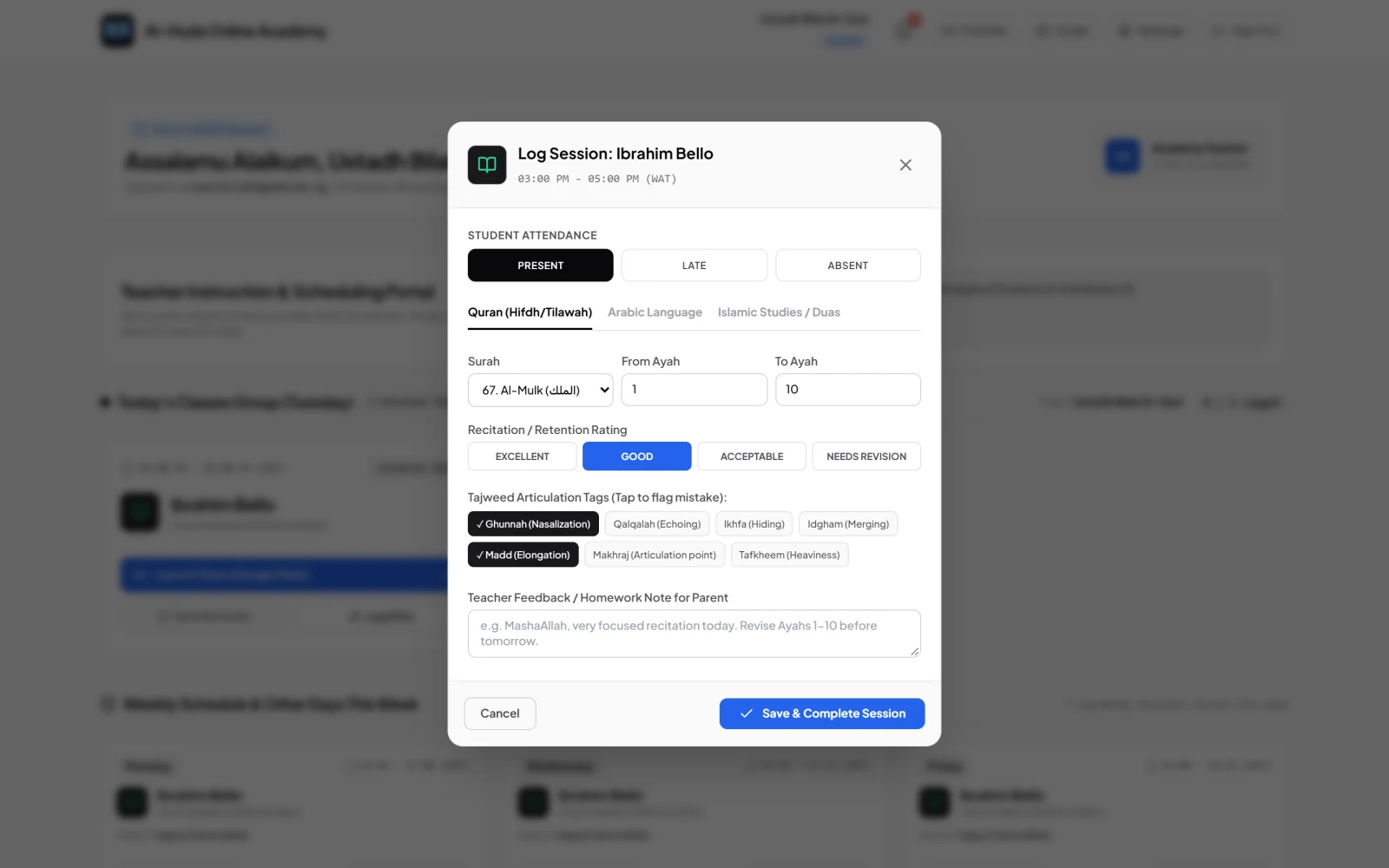
The purpose of a lesson record is continuity. Another authorised teacher or the academic reviewer should be able to understand what was covered, how the learner performed and what should happen next.
Record the topic, activity or assessment, a compact performance judgment, feedback and next step. The exact fields may differ, but the same rule applies: record enough for teaching continuity without collecting unrelated personal information.
Do not pretend that a field name is a teaching methodology. If your academy uses Sabaq, Sabqi and Manzil or another structured approach, define it with a qualified Quran educator and train teachers to apply it consistently. A generic software label cannot replace that academic decision.
Families should know where to ask about schedules, teaching, fees and urgent concerns. Publish one primary route for each type of question, the expected response window and the person responsible. This is more reliable than adding every teacher and administrator to one large chat.
Decide what parents can see directly and what requires an academic conversation. A concise lesson note and attendance history can provide useful visibility, while sensitive concerns may need a private, documented discussion. Independent adult learners should receive their own information rather than being forced through a guardian workflow.
Protect boundaries. Teachers should not have to expose personal numbers if the academy provides another route, and broad groups should not reveal learner lists or private notes. Remove access when a staff member changes role or leaves.
The rhythm should fit the academy. A founder with twenty learners may review exceptions in one short weekly meeting; a larger team may need separate admissions and academic reviews. Keep the outputs consistent even when the meeting structure changes.
Do not copy an impressive target from another academy or an SEO article. First make the definitions reliable, then calculate a baseline from your own records. Compare the academy with its previous operating cycles and investigate material changes.
Counts are often more actionable than percentages for a small academy. 'Three held sessions have no progress note' tells the team exactly what to fix. If you use a rate, document the numerator, denominator and exclusions so the same number means the same thing next month.
Collect only information needed for enrolment, teaching, communication and the academy's legitimate administration. Give staff the least access required for their role. A teacher should see assigned learners and relevant teaching records, while a parent should see only linked children and an adult learner only their own record.
Use individual accounts, strong passwords, controlled exports and an access-removal checklist. Keep real child, parent, teacher and academy data out of public screenshots and training examples. Use clearly fictional records for demonstrations.
Draw the current learner journey. List every record, inbox and spreadsheet used. Choose the authoritative record for each stage, agree status definitions and name an owner. Remove fields nobody uses before moving anything.
Create the enquiry, trial, learner, schedule, session and lesson-record templates. Write the missed-class and communication rules. Test them with fictional cases: learner no-show, teacher absence, temporary reschedule, holiday, technical interruption and disputed record.
Use a representative but manageable set of teachers and learners. Explain the reason for each required field, practise the hand-offs and collect specific feedback. Do not migrate everyone while basic definitions are still changing.
Run the first weekly and monthly-style review, even if the period is short. Find missing records, duplicate work and permissions that are too broad. Correct the process, document the agreed version, then expand in controlled batches.
Al-Ibiewi LMS is designed around this connected academy workflow. Current features support academy-specific trial intake and full student applications, admissions review, teacher assignment, recurring schedule details, external meeting links, session and attendance records, Quran/Arabic/Islamic Studies progress records, role-specific views, academy calendars and monthly operational summaries.
For Quran learning, the current record can include Surah and Ayah ranges, a performance rating, Tajweed-error tags, teacher feedback and revision history. Attendance records can distinguish learner attendance, teacher presence and whether the class was held, which gives a director better evidence for reviewing exceptions.
The platform does not replace an academy's curriculum, safeguarding policy, teacher supervision or compensation rules. It does not natively host video classes, perform automatic Tajweed assessment or promise business or learning outcomes. Meeting links lead to external services, and academy leaders remain responsible for approving policies and reviewing the records.
You can explore the current workflows in the Al-Ibiewi tutorials, apply for an academy account when the model fits your needs, or contact the team with a specific implementation question.
Yes. A controlled spreadsheet can work when one person owns it, permissions are limited, status definitions are clear and the volume is manageable. Consider a dedicated system when copying between files and chats causes missing hand-offs, conflicting versions or weak role separation.
Start with the learner journey and the authoritative learner record, then connect enquiry, schedule, session and progress information to it. Buying software before agreeing these relationships usually moves the confusion into a new interface.
Set a deadline close enough to the lesson that the details remain accurate. Many academies will choose immediately after the session or by the end of the teaching day, but the right rule is the one the team can apply consistently and review.
It should produce a reconciled exception list and a short set of actions: missing records to complete, attendance issues to follow up, schedules or assignments to change, families to contact and academic cases requiring review. Every action needs an owner and a date.
Look for records without a next action: an enquiry nobody owns, an approved learner without a teacher, a scheduled session without a final status, a held class without a lesson note or a repeated concern without follow-up. These orphaned items reveal broken hand-offs before a high-level metric does.
A well-managed online Quran academy does not depend on one person remembering everything. It uses a shared, permission-aware record of what was promised, what was scheduled, what happened, what was learned and what happens next. Build that loop, review its exceptions regularly and let the tools support the agreed process.
Follow how Al-Ibiewi connects enrolment, scheduling, one-to-one and group classes, lesson records and family communication.
Keep reading
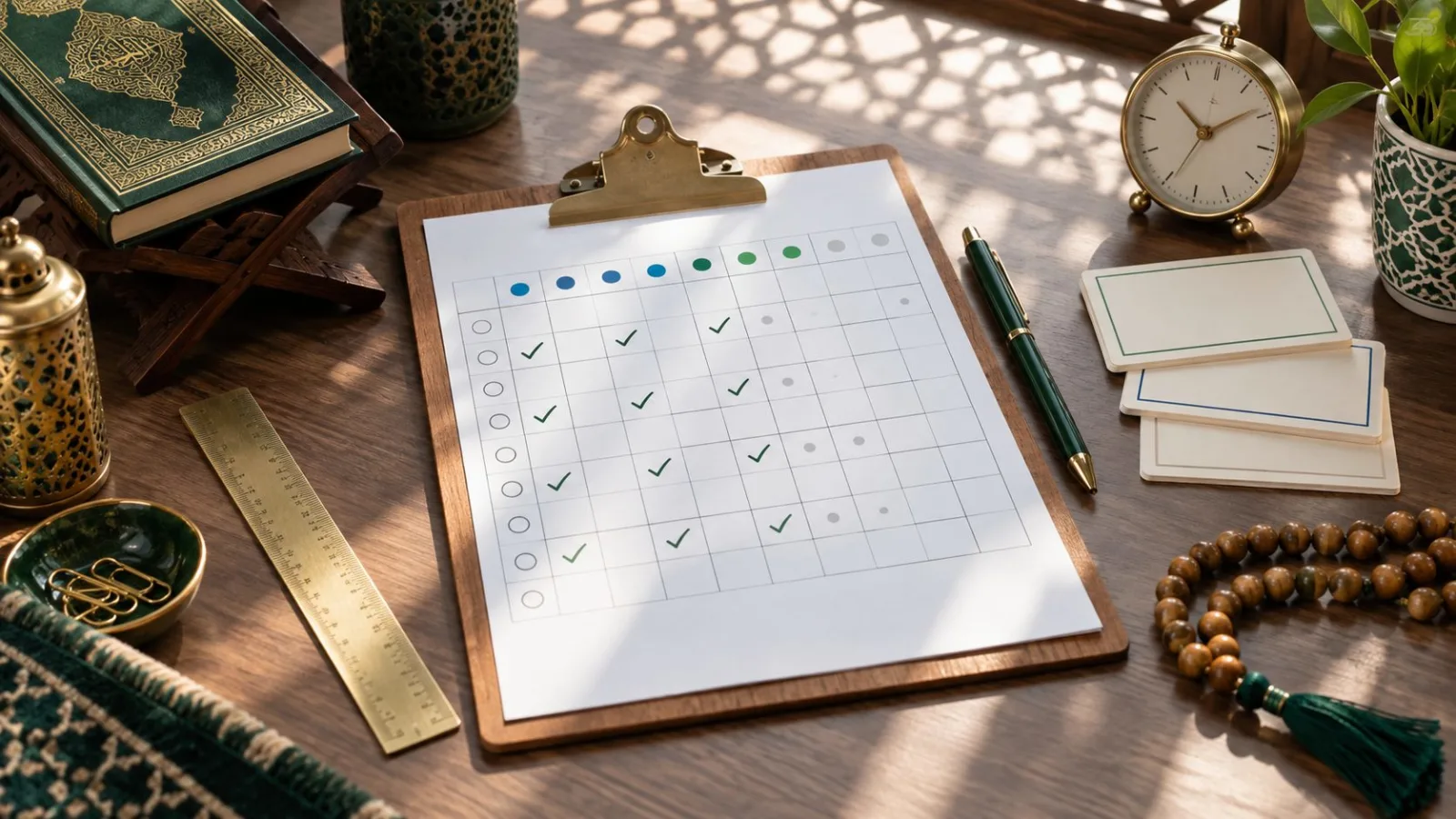
Download a practical Quran academy attendance and session-audit template that separates learner status, teacher presence, class outcomes, lesson evidence and follow-up.

Use this practical checklist to prepare academy records, configure workflows, test access, train staff and make an evidence-based decision before going live.

A practical guide for Nigerian Quran schools comparing scheduling, lesson records, parent access, fees, privacy, migration and support before choosing management software.