
How to Manage an Online Quran Academy
A practical operating system for managing enquiries, trials, enrolment, teacher assignment, schedules, attendance, lesson records, family communication and monthly review.
Download a practical Quran academy attendance and session-audit template that separates learner status, teacher presence, class outcomes, lesson evidence and follow-up.
Updated
Use this free Quran academy attendance template to record each scheduled class without collapsing several different facts into one tick. It keeps learner status, teacher presence, whether teaching occurred, lesson evidence, follow-up and authorised adjustments in separate columns. Download the blank CSV template or open the fictional worked example to see how the fields fit together.
A basic register can show that a learner was absent, but it may not show whether the teacher was available, whether the class was cancelled, whether a make-up lesson occurred, or what was taught. Those missing distinctions create extra work during parent follow-up and month-end review.
A session audit should let an authorised reviewer answer five questions from the record itself:
The sheet is deliberately session-based: one row represents one scheduled session for one learner. That layout works for one-to-one teaching and can also support a group class when each learner receives a separate row tied to the same session reference.
Start with the blank session and attendance audit CSV. If a field is unclear, compare it with the fictional completed CSV and the definitions below.
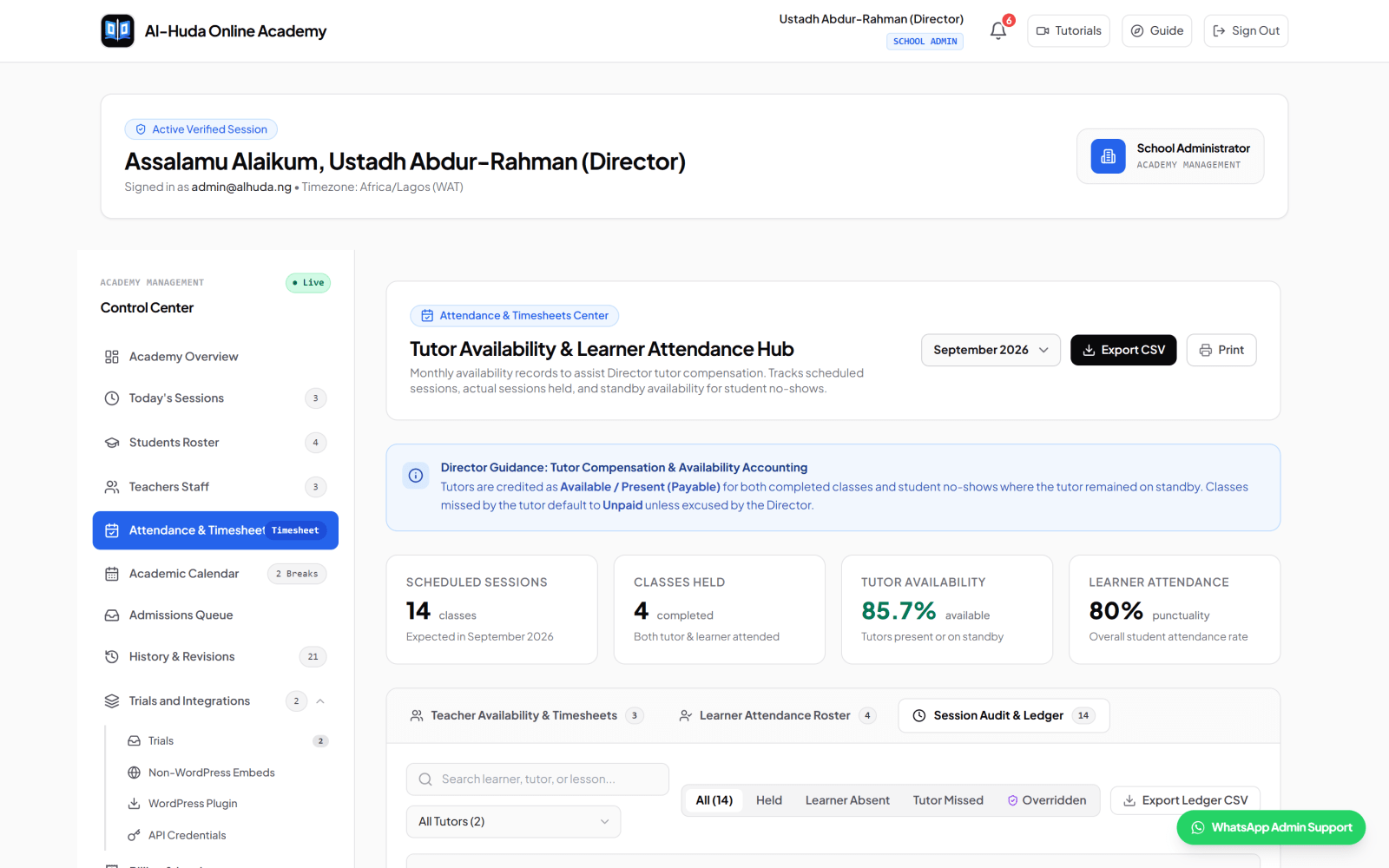
| Field | Question answered | Example value |
| Student status | Did the learner attend? | present, late or absent |
| Teacher present | Was the assigned teacher available? | yes or no |
| Class held | Did teaching actually take place? | yes or no |
These facts can form different combinations. A learner may be absent while the teacher remains available and the class is not held. A class may be rescheduled and later held. A teacher may be absent while the learner was ready. Record the facts first; then apply the academy's approved missed-class, make-up and tutor-compensation policy.
| Field | What to record |
| academy_name | The academy or branch responsible for the record. |
| reporting_month | The review period in YYYY-MM format. |
| session_reference | A stable internal reference for the scheduled session. |
| scheduled_date / scheduled_time | The planned local date and time, kept in separate columns for easy filtering. |
| timezone | An IANA timezone such as Africa/Lagos or Europe/London. |
| student_id / student_name | The minimum identifiers authorised staff need to recognise the learner. |
| assigned_teacher | The teacher responsible for the session. |
| course_or_track | For example Quran Recitation, Arabic or Islamic Studies. |
| scheduled_minutes | The planned session duration, not an invented actual duration. |
| Field | What to record |
| student_status | Use a small approved vocabulary such as present, late, absent, excused or cancelled. |
| teacher_present / class_held | Use yes or no. Keep both fields even when they often match. |
| meeting_reference | An internal room or session reference. Do not paste passwords or access secrets. |
| missed_class_category | A controlled reason category such as learner_no_show, teacher_absent, academy_cancelled or rescheduled_makeup. |
| director_adjustment / reason | Whether an authorised correction occurred and the factual reason for it. |
| lesson_position_or_topic | Surah and Ayah range or the Arabic/Islamic Studies topic covered. |
| performance_rating | A value from the academy's defined rubric, or not_assessed when no assessment occurred. |
| tajweed_observations | Specific observed issues when relevant; do not imply automatic assessment. |
| teacher_feedback | A short next-step note that another authorised person can understand. |
| parent_follow_up_required / note | Whether contact is needed and the operational next action. |
Free-text notes are useful, but they are difficult to group consistently. Agree a short list for fields that will be filtered or counted. Keep the list small enough that teachers can choose correctly after a lesson.
| Field | Suggested values |
| student_status | present | late | absent | excused | cancelled |
| teacher_present | yes | no |
| class_held | yes | no |
| missed_class_category | none | learner_no_show | learner_cancelled | teacher_absent | academy_cancelled | technical_issue | rescheduled_makeup |
| performance_rating | excellent | good | acceptable | needs_revision | not_assessed |
| parent_follow_up_required | yes | no |
Document what each value means. For example, define how many minutes count as late, who may mark an absence excused, and when a rescheduled session receives a new session reference. The exact rule is academy-owned; consistency is the objective.
Complete the row as close to the session as practical. A monthly review cannot recover precise lesson evidence that was never recorded.
At the end of the reporting period, work from exceptions toward totals. The aim is not to reward perfect-looking percentages; it is to find records that need clarification before an operational decision is made.
The fictional learner Amina Kareem attends, the fictional teacher Ustadh Idris Bello is present, and the class is held. The row records Surah Al-Mulk 1–5, a rating from the academy rubric, one Tajweed observation and the next practice instruction. No follow-up is required.
The learner status is absent, teacher_present is yes and class_held is no. The missed-class category is learner_no_show and follow-up is required. The row does not decide payment or make-up eligibility; an authorised person applies the academy's policy after checking the evidence.
The make-up session has its own reference, class_held is yes and the adjustment reason explains why the record changed. That connection matters: without it, a reviewer may count both the original missed slot and the completed make-up incorrectly.
If you print the sheet, store and dispose of the paper with the same care as the digital file. This template cannot determine the legal or safeguarding requirements that apply to your academy.
A sheet can be suitable while the academy has a small number of sessions, one clear owner, controlled access and a manageable review routine. It becomes fragile when multiple people overwrite records, status definitions drift, follow-up is lost across messages, or directors cannot see who changed a decision.
Before moving to software, clean the vocabulary and workflow first. A system cannot repair unclear policy by itself. Export a reviewed copy, identify the source of truth, map each field, test with fictional records and restrict access by role.
Al-Ibiewi's current attendance workflow separates learner attendance, teacher presence and class-held state. Authorised academy users can review monthly session information, and session history can carry Quran position or subject topic, performance rating, Tajweed observations and teacher feedback. Director adjustments include a reason and audit details.
The platform tracks session and availability facts; it is not a payroll engine and does not decide an academy's compensation policy. Meeting services remain external, and recitation is not assessed automatically. Review current product demonstrations on the tutorials page before treating any workflow as a fit for your academy.
Yes. Give the scheduled class one shared session reference, then create one row per learner so each attendance outcome and follow-up remains explicit.
Start with accurate session rows and definitions. You can build a separate summary or pivot table after exclusions, cancellations and corrections are reviewed. Do not hide unresolved records inside a percentage.
No. It records the facts a director may need when applying an approved policy. Policy, contracts and applicable obligations require separate qualified review.
Do not silently erase a material decision. Record that an authorised adjustment occurred, preserve the reason and keep the original history in the system of record where possible.
It captures concise lesson evidence alongside the session audit. A full learning-progress system needs deeper longitudinal history, educator-defined methodology and parent reporting; this sheet is not a complete Hifdh curriculum planner.
Download the blank CSV, test it with fictional sessions, agree your definitions, and ask the people who will enter and review the data to challenge unclear fields. If you want to compare the workflow with a purpose-built academy system, apply to use Al-Ibiewi or contact us with an implementation question.
See how Al-Ibiewi keeps learner attendance, teacher presence, class outcomes and lesson evidence together without deciding your academy's policy for you.
Keep reading

A practical operating system for managing enquiries, trials, enrolment, teacher assignment, schedules, attendance, lesson records, family communication and monthly review.

Use this practical checklist to prepare academy records, configure workflows, test access, train staff and make an evidence-based decision before going live.

A practical guide for Nigerian Quran schools comparing scheduling, lesson records, parent access, fees, privacy, migration and support before choosing management software.