
Quran Academy Software Implementation Checklist: From Records to Go-Live
Use this practical checklist to prepare academy records, configure workflows, test access, train staff and make an evidence-based decision before going live.
A practical two-stage workflow for Quran academy trial requests, assessment, formal applications, teacher assignment, schedule confirmation and learner onboarding.
Updated

A reliable Quran academy admissions process separates three decisions: whether to arrange a trial or assessment, whether to offer a place, and whether the learner is ready for regular classes. Use a short form for the first decision, a fuller application for formal enrolment, and a readiness gate before activating the learner.
This structure reduces unnecessary data collection at first contact while giving teachers and administrators the information they need later. Every stage should have a named owner, a visible status, a next action and an exit condition.
A form is only the front door. The real admissions system is the work that happens after submission. Map the stages and agree what must be true before a case can move forward.
| Stage | Purpose | Owner | Exit condition |
| Trial request | Confirm basic fit and contact | Admissions administrator | Trial arranged, closed or awaiting information |
| Trial or assessment | Observe starting point and teaching fit | Assigned teacher or assessor | Outcome and recommendation recorded |
| Formal application | Collect the complete enrolment record | Applicant with admissions support | Application ready for review |
| Review | Verify suitability, details and capacity | Director or authorised reviewer | Approve, decline, wait or request information |
| Allocation | Confirm teacher and timetable | Director or timetable owner | Assignment accepted and conflict-free |
| Onboarding | Prepare the first regular class | Administrator, teacher and family | Access, schedule and expectations confirmed |
Keep the status list short enough to use consistently. A small academy may need new, contacted, trial scheduled, application pending, approved, declined, waiting and enrolled. The label matters less than the rule that every open case has one owner and one next action.
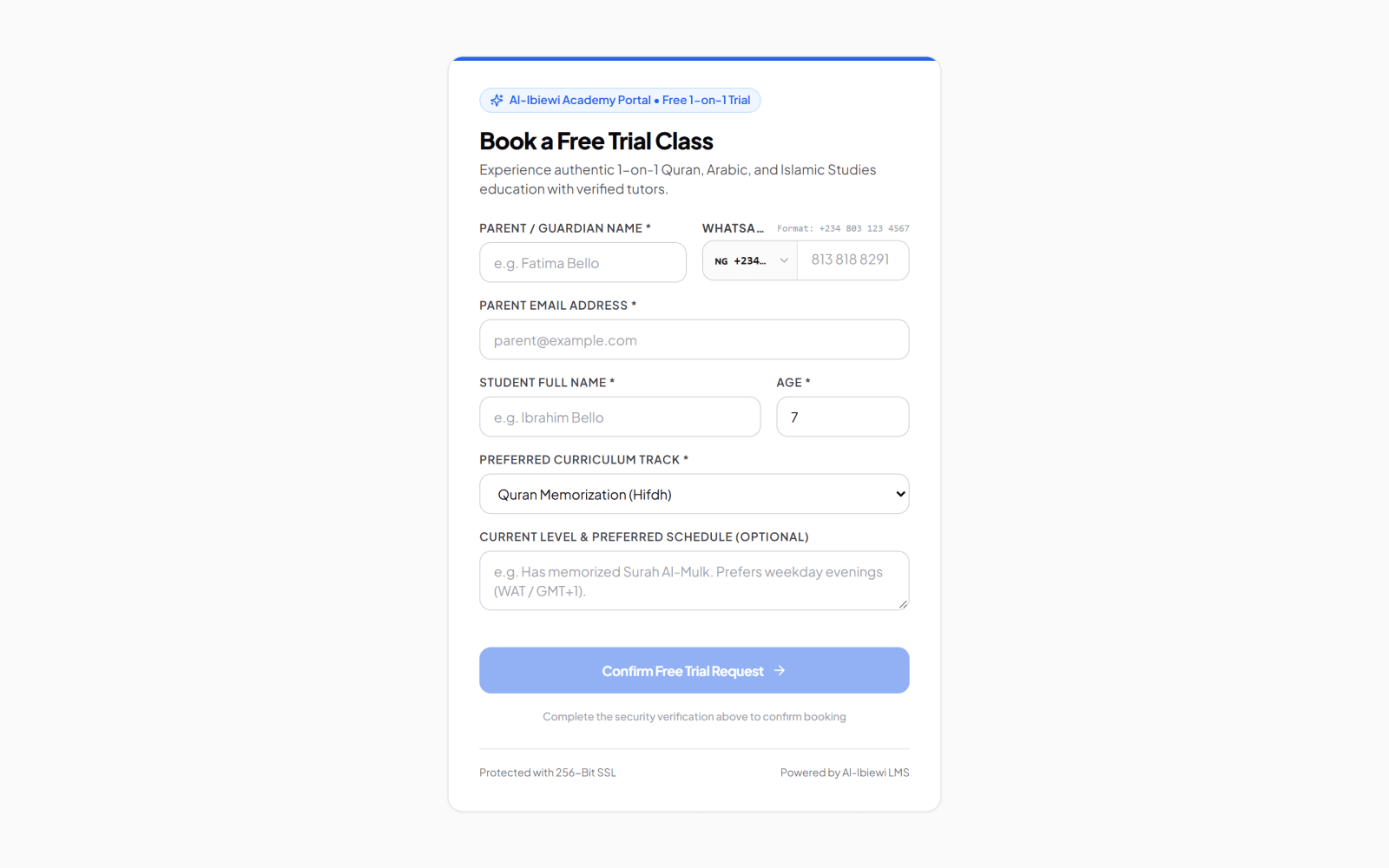
The first form should collect only what is needed to contact the family, understand the broad request and arrange a suitable trial. Asking for the complete educational history before the academy has confirmed basic fit can create friction and unnecessary sensitive data.
Do not ask for information merely because another academy's form contains it. Home address, documents, medical information or detailed learning concerns should have a clear purpose, appropriate handling and an approved retention rule before they are collected.
The first response should confirm receipt without promising an unavailable teacher or time. Tell the family who will contact them, what information may still be needed and what the proposed next step is.
Assign a follow-up owner immediately. If the academy uses WhatsApp, keep the actual status and outcome in the admissions record rather than treating the chat thread as the only source of truth.
If no suitable slot is available, record a waiting-list or follow-up state. Silence is not a status. A visible waiting case is easier to manage than a promise hidden in an administrator's memory.
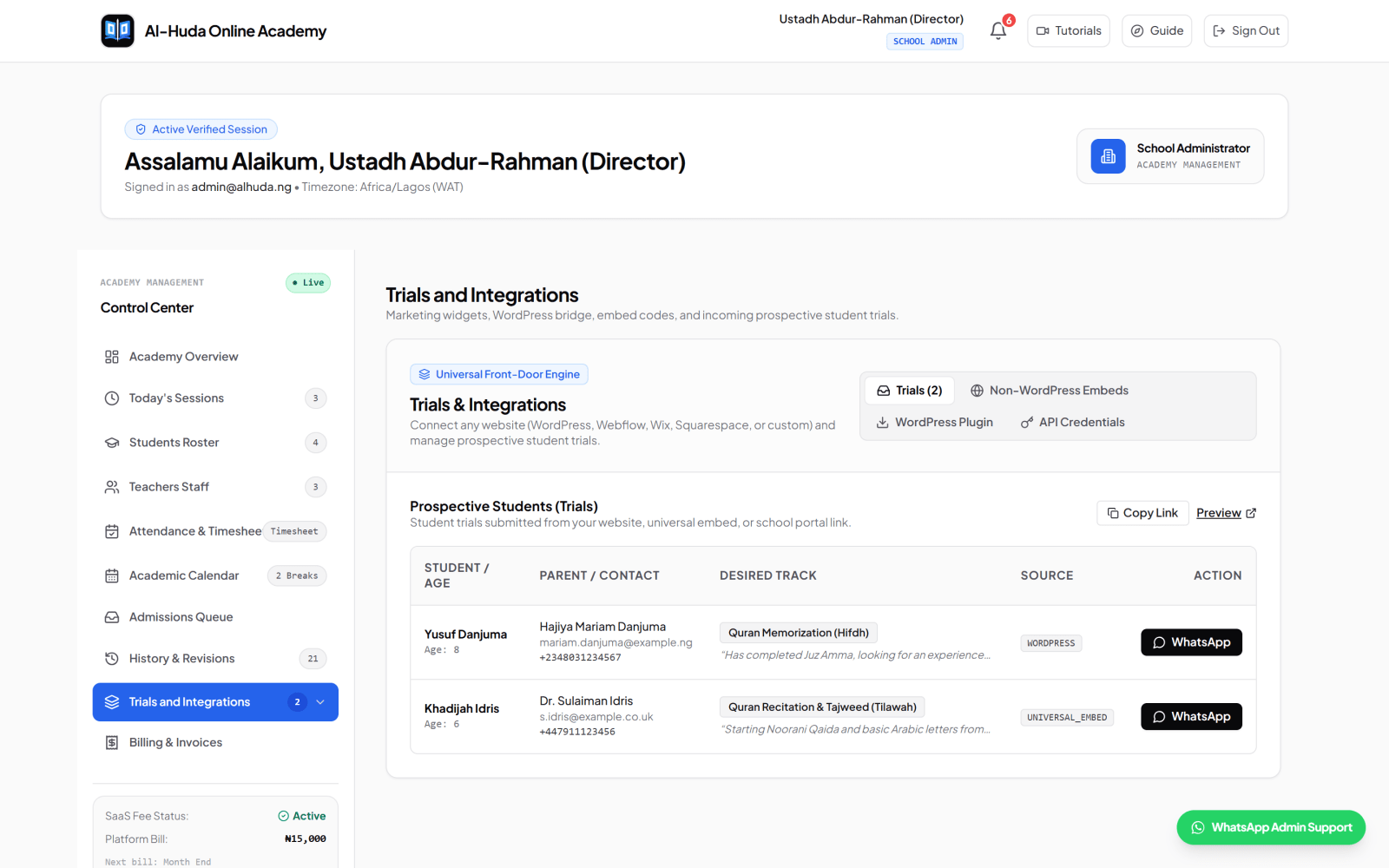
A trial can serve several purposes: let the learner experience the teaching style, observe the learner's current level, clarify goals and determine whether the requested schedule and programme are realistic. Decide the purpose before the teacher joins.
Give the assessor a compact outcome form. The record may include the portion or activity attempted, an observed starting level, important teaching considerations, the learner's stated goal and a recommendation. Avoid making medical, developmental or safeguarding conclusions outside the assessor's competence.
Record the outcome and the person responsible for communicating it. A trial should not become an automatic enrolment. The family still needs to understand the offer and complete the information required for formal admission.
When the family is ready to proceed, the formal application can collect the information needed to teach, communicate and establish the learner record. Explain why each section exists and which fields are required.
Use a dedicated adult path rather than inventing a guardian. The learner supplies their own contact information, receives their own access and should see only their own academic records. The programme and schedule questions may be similar, but the account and communication relationship is different.
Link each learner to the verified family account without merging the children's academic records. Reuse confirmed guardian contact details where appropriate, but create a distinct learner, programme, teacher assignment, schedule and progress history for each child.
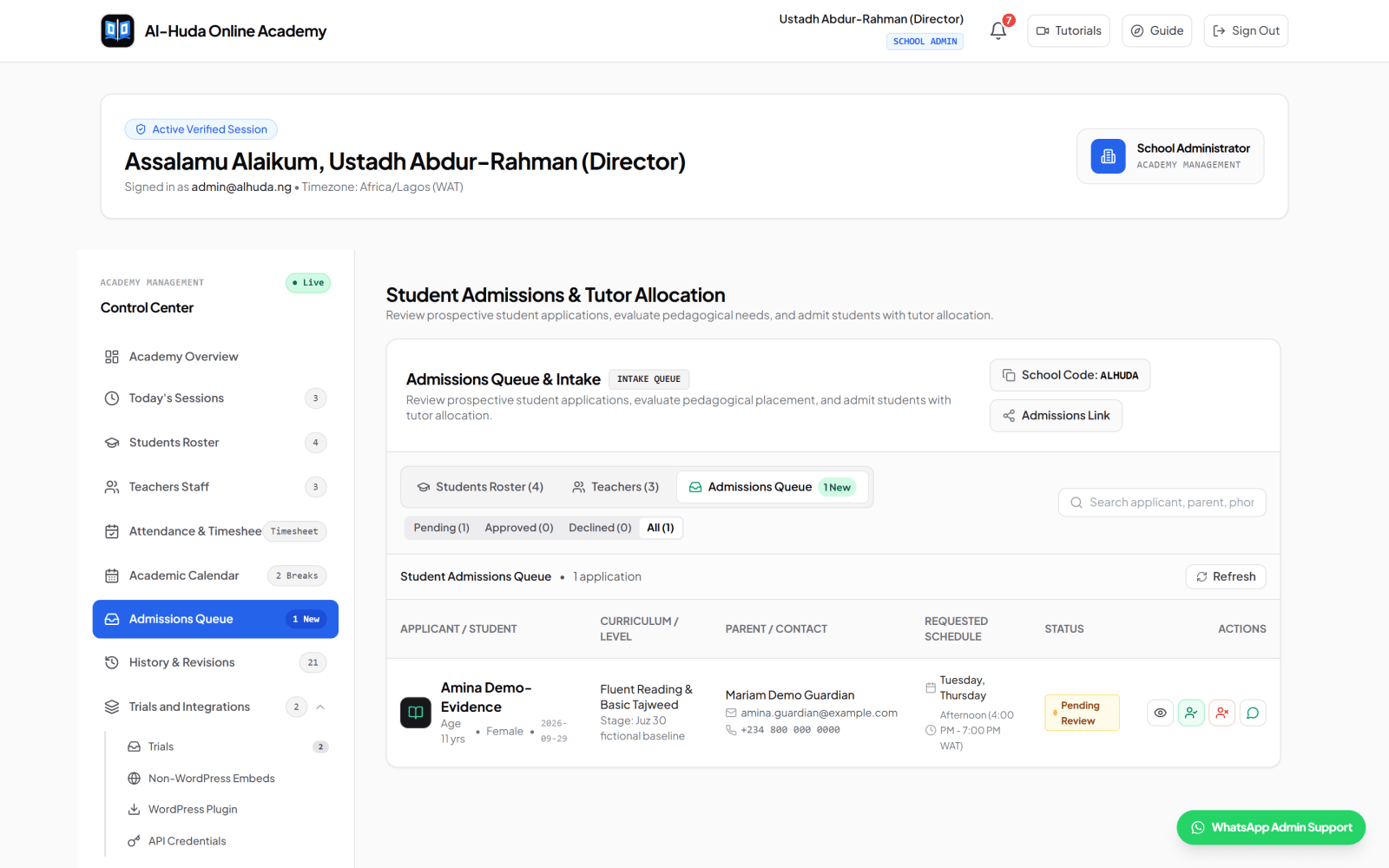
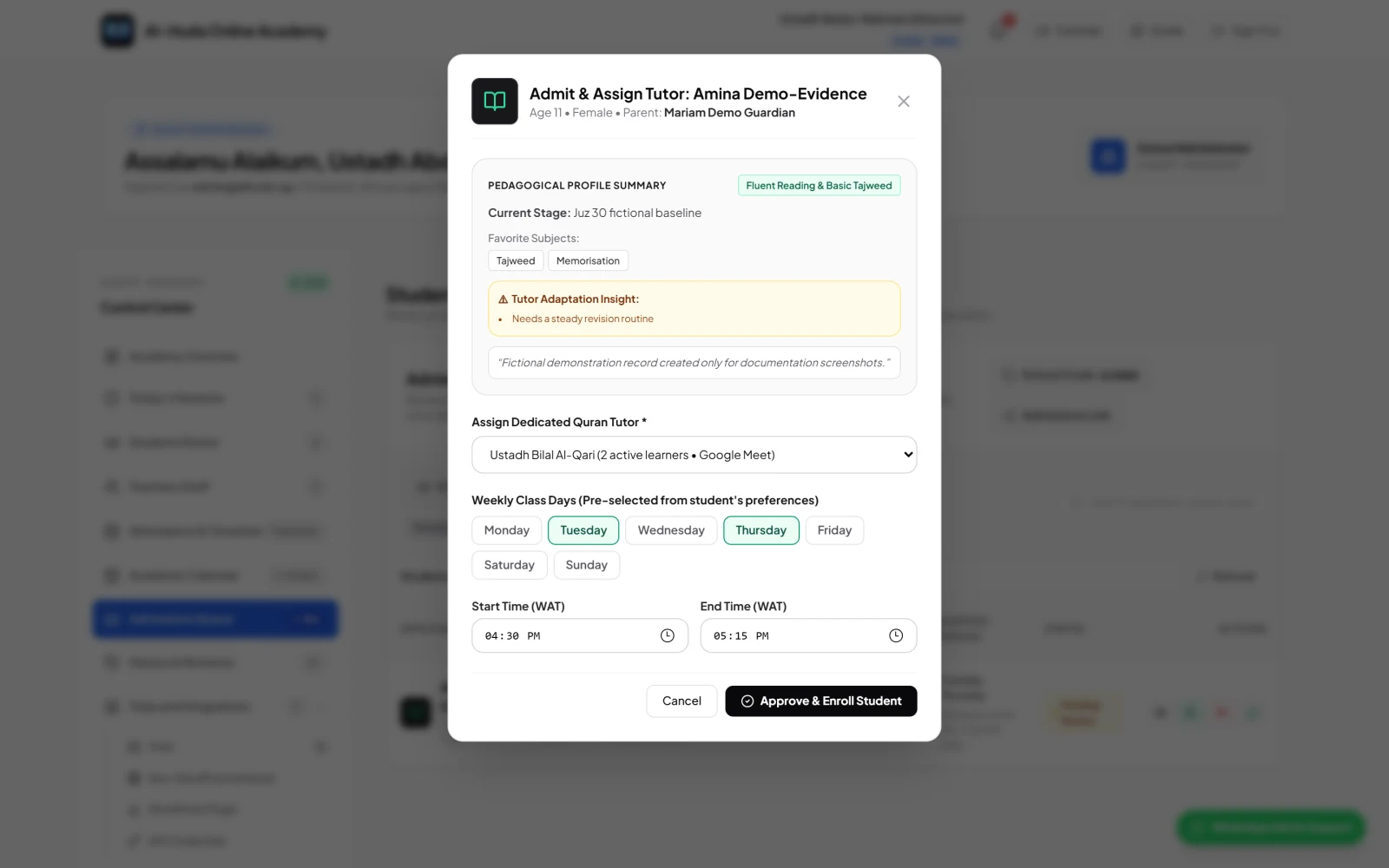
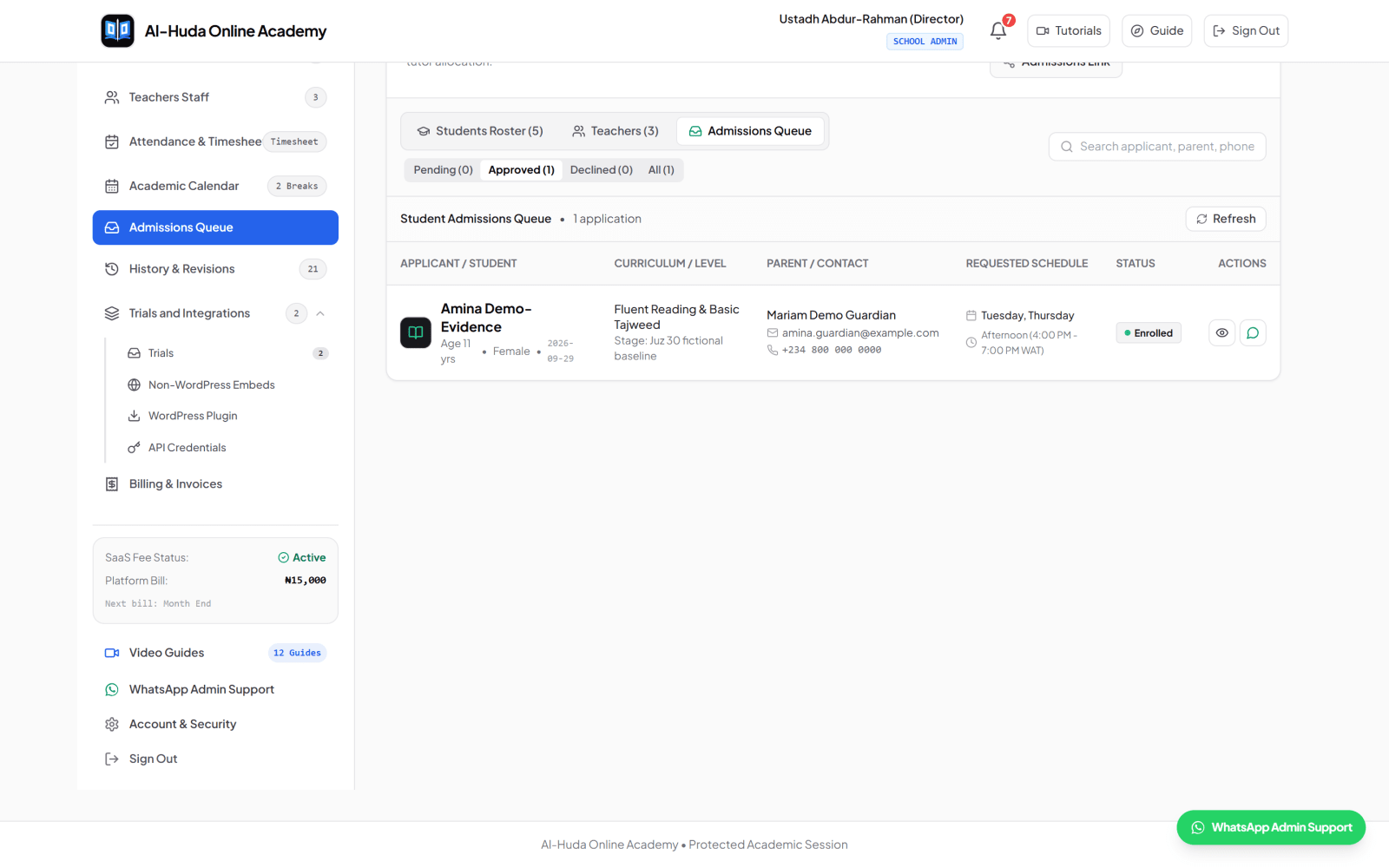
The reviewer should check whether the record is complete, internally consistent and appropriate for the academy. A submitted form is not automatically an approved learner.
Use a separate reason when a case is declined, closed or returned for more information. The internal reason supports consistent administration; the family-facing message should be clear, respectful and disclose only what is appropriate.
Teacher matching is a human operational decision. Check programme competence, appropriate learner/teacher considerations, language, availability, existing load and the academy's safeguarding rules. Do not present a preferred teacher or time as confirmed until the responsible administrator has checked capacity.
Approval should create an active learner only when the required operational pieces are ready. This prevents an inflated roster of students who cannot begin classes.
If one of these pieces is missing, keep the case in an accurate waiting or pending state. 'Approved, awaiting teacher' is operationally different from 'active learner with regular classes'.
Confirm the programme, teacher, schedule, timezone, start date, joining method, communication route and immediate preparation. If access requires email verification or a temporary credential, explain the secure next step without placing sensitive credentials in a broad group.
Say what the academy is waiting for, who owns the follow-up and when the family should expect an update. Do not describe a waiting-list place as a confirmed enrolment.
Ask only for the missing decision-critical information. Preserve the existing application rather than making the family submit every field again unless security or data-integrity rules require a fresh form.
Use a respectful message and the academy's approved policy. Preserve the internal outcome and authorised reason for operational history, then apply the academy's retention and access rules.
Admissions records contain contact details and information about children or adult learners. Bind every public form to the intended academy, restrict each academy's staff to its own submissions, and give access only to roles that need it for admissions or teaching preparation.
Use bot protection and rate limits on public forms, validate fields on the server, and avoid returning sensitive application details in public success messages. These controls reduce abuse but do not replace privacy, safeguarding and incident-response policies.
Admissions reporting should reveal neglected work and capacity constraints. Start with counts and stage age from your own baseline instead of copying industry targets or treating every enquiry as equally qualified.
A conversion rate may be useful later, but define its stages and exclusions first. A trial request, completed assessment, approved application and active learner are different events. Combining them into one number can hide the exact hand-off that needs attention.
Consider a fictional family: Maryam requests a Hifdh trial for her daughter Amina. The trial record contains Amina's age group, Maryam's contact, the programme, timezone and broad availability. An admissions administrator owns the next action and arranges an assessment.
The assessor records that Amina should begin with fluent reading and Tajweed before a formal memorisation plan. Maryam agrees and completes the full application, including preferred days, current stage and relevant learning notes. The director checks for duplicates and reviews the recommendation.
A suitable teacher is available on two of the preferred days but not the third. The administrator proposes the confirmed schedule with its timezone. After Maryam accepts, the director approves the application, creates the learner assignment and sends the secure onboarding steps. The record now shows exactly why the programme changed and what was confirmed.
Document the current route from enquiry to first regular class. Name the owner and exit condition for every stage. List every inbox, chat, form and spreadsheet where applications currently appear.
Create the short trial request, assessor outcome and fuller application. Remove fields with no decision purpose. Define statuses, duplicate checks and the minimum information required for approval.
Use fictional cases and a small set of real, properly authorised new requests. Test child, adult, sibling, waiting-list, schedule-conflict and decline paths. Confirm that each academy and role sees only authorised records.
Measure missing next actions, stage delays and incomplete onboarding. Correct the workflow, train the team and write the accepted version before expanding website integrations or campaigns.
Al-Ibiewi LMS currently supports a school-specific trial request that can capture the responsible contact, learner name and age, preferred track, timezone and notes. A school may share its direct trial link or connect a supported website/embed path, and the resulting trial record is associated with that academy.
Formal applications support child and independent adult paths, guardian or learner contact details, schedule preferences, Quran level, current stage and selected learning-profile information. Authorised academy administrators can review pending applications, request follow-up outside the system where needed, approve or reject the case, select a teacher and establish an initial weekly schedule.
On approval, the current workflow can create the active learner record, store the teacher assignment and schedule, and preserve an enrolment-history entry. Existing-family and adult-learner paths are supported. The platform does not automatically turn every trial lead into a full application, predict the best teacher, or collect parent tuition as part of admissions.
Review the current admissions demonstrations in the Al-Ibiewi tutorials, apply for an academy account when the workflow matches your needs, or contact the team with a specific admissions question.
Usually not. The trial form should collect enough information to arrange and assess the first interaction. The formal application can collect the fuller guardian, learning and schedule record after the academy and family decide to proceed.
No. A trial may reveal a different programme, a capacity problem, a need for more information or that the family does not wish to continue. Record the outcome rather than creating an active learner automatically.
An assessor may be assigned for the trial, but the regular teacher should be confirmed only after programme fit, availability, workload and timetable conflicts have been checked. The assessor and regular teacher do not have to be the same person unless the academy chooses that policy.
Check within the correct academy using stable contact and learner details. Preserve the valid record, close or merge the duplicate through an authorised process, and never merge two different learners merely because names are similar.
Admissions is complete when the approved learner has the correct programme, responsible contact or adult account, teacher, recurring schedule, access instructions and a confirmed first-class path. Submission or approval alone is not the finish line.
A strong admissions system asks for the right information at the right stage and never loses the next action. Separate interest from application, application from approval, and approval from operational readiness. That clarity protects families, helps teachers prepare and gives directors an honest view of capacity.
Explore the Al-Ibiewi workflow from academy intake and review through teacher assignment, scheduling and enrolment.
Keep reading

Use this practical checklist to prepare academy records, configure workflows, test access, train staff and make an evidence-based decision before going live.

A practical guide for Nigerian Quran schools comparing scheduling, lesson records, parent access, fees, privacy, migration and support before choosing management software.

Bilingual monthly progress reports, academy report cards and parent fee collection are now included in every Al-Ibiewi LMS academy's price, with no separate add-on and no second invoice.